How to Use AI for Blog Post Outlines
If you have ever opened a blank document and thought, “I know the topic, but I do not know how to structure it,” you are not alone. For many bloggers, freelancers, and business owners, planning is the part that slows everything down.
That is where AI can help. That sounds more technical than it really is. In plain English, if you want to use AI for blog post outlines, you are asking it to turn a rough idea into a clearer plan. You are not handing over your thinking.
You are speeding up the messy early stage so you can focus on writing something useful.
A good outline matters because it shapes the whole article. It helps you cover the right points, keep the post easy to follow, and avoid writing sections that do not need to be there. It can also make it easier to create stronger SEO content.
If you want a matching structure for the draft stage, read our blog post strcuture for SEO post for a broader setup view, then come back to your content plan.
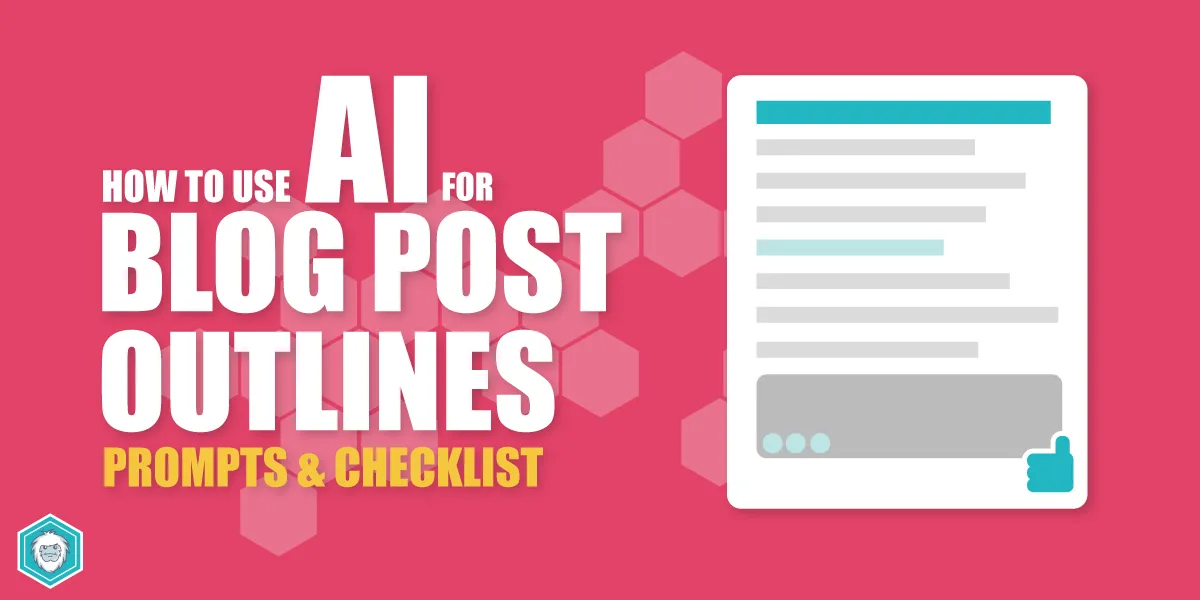
In this guide, you will learn how to use AI for blog post outlines, what to include in your prompts, how to improve weak results, and how to keep your outline useful instead of generic.
Quick Answer: How to Use AI for Blog Post Outlines
To use AI for blog post outlines, start with a clear topic, audience, and goal. Then ask the tool to create a structure with headings, subheadings, and key points based on the type of post you want to write.
The first draft it gives you is only the starting point. The real value comes from reviewing it, trimming anything vague, adding your own examples, and making sure the sections match what your reader actually wants.
The goal is not to build the fanciest version. It is to build a clear structure.
Key Takeaways
- AI can help you plan faster, but you still need to guide and edit the outline.
- Better prompts usually lead to better blog outlines.
- Search intent matters as much as the headings themselves.
- A useful outline should make drafting easier, not more confusing.
- Human examples, opinions, and experience are often what make the post worth reading.
- Small, consistent improvements usually beat complicated plans that never get implemented.
What It Means to Use AI for Blog Post Outlines
Using AI for blog post outlines means giving an AI tool a short brief and asking it to organise the article before you write the full draft. That brief might include the topic, target keyword, audience, article type, and the result you want the post to achieve.
Instead of staring at a blank page, you get a rough structure to react to. That can be much easier than building the whole outline from scratch.
Think of it like asking an assistant to sketch the frame of the article. You still decide what stays, what goes, and what needs improvement.
Why This Matters for Content Planning
A poor outline causes problems later. It often leads to rambling introductions, repeated points, missing FAQs, and weak conclusions. If the structure is unclear, the writing usually feels unclear too.
A stronger outline can help you:
- write faster because you know what comes next
- cover the topic in a logical order
- spot thin sections before drafting them
- create a better reader journey
- make space for internal links, CTAs, and FAQs
If the reader has to work too hard, something is wrong. A good outline should make the article feel easier before the draft even begins. If you want to tighten the finished draft as well, writing SEO content well is the next skill to layer in.
A Simple Workflow for AI Blog Outlines
Here is a practical workflow you can reuse.
Step 1: Start With a Clear Brief
Before you ask AI for anything, decide what the article needs to do. Keep it simple:
- Topic
- Target keyword
- Audience
- Search intent
- Article format
- Key points that must be included
For example, “write an outline about pricing” is too vague. A better prompt would be:
“Create a beginner-friendly outline for a blog post about pricing page mistakes for freelance designers. Include practical examples, common mistakes, and a short FAQ section.”
Step 2: Ask for the Right Structure
Tell the tool what kind of post you want. If it is a how-to post, say that. If it is a checklist, say that. If it is meant for beginners, make that clear.
This matters because AI often defaults to generic structures if you do not give it direction.
Step 3: Review the First Outline Properly
Do not copy the first outline straight into your draft. Read through it and ask:
- Does it answer the real question behind the keyword?
- Are the sections in the right order?
- Is anything repetitive or too broad?
- Does it need examples, objections, or a checklist?
- Is there a sensible next step for the reader?
Once you have planned the post, it is worth thinking about internal links too. For example, our on-page SEO guide for small businesses explains how to improve the finished page.
Step 4: Add Human Context
AI can suggest structure, but it does not know your business, your customers, or your own experience unless you tell it. Add those details yourself.
That might include:
- Real customer questions
- Common objections
- Examples from past posts
- Your tone of voice
- Your offer or CTA
A lot of businesses already have the pieces. The problem is that they often exist separately. AI helps you gather them, but you still need to connect them properly.
Step 5: Turn the Outline Into a Writing Plan
Once the outline looks solid, add brief notes under each heading. Write down the main point, an example, and any supporting detail you want to include.
At that stage, the outline stops being a rough plan and starts becoming a proper draft guide.
Prompt Template You Can Reuse
If you want to use AI for blog post outlines more consistently, use a repeatable prompt. Here is a simple one:
Create a blog post outline for the topic: [topic]. The target reader is [audience]. The main keyword is [keyword]. The article should match [informational / beginner / comparison] intent. Use a practical, clear tone. Include an introduction, key sections, examples, common mistakes, a checklist, a CTA, and 5 FAQ questions. Keep the structure easy to follow and avoid vague headings.
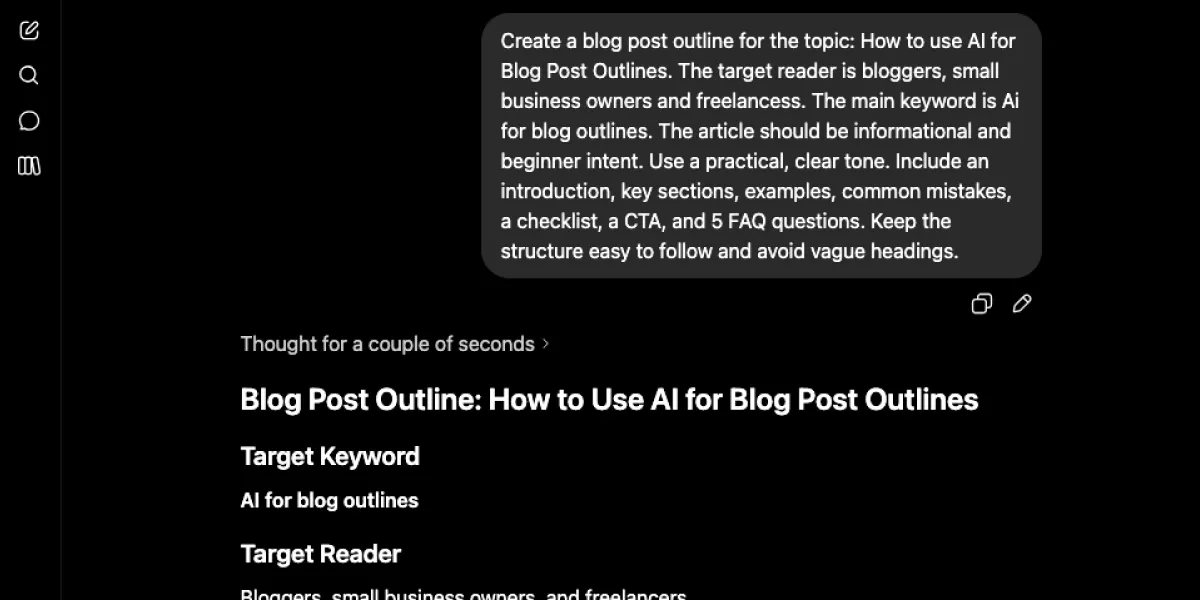
You can also ask the tool to create more than one angle, then choose the best one. Just be careful not to create extra work for yourself. More ideas are only helpful if you actually review them.
Practical Tips for Better AI Outlines
Tell AI What to Leave Out
If you know you do not want hype, jargon, or long theory sections, say so in the prompt. This helps reduce fluff.
Give It a Reader Problem
Instead of only naming the topic, include the problem behind the topic. For example: “The reader wants to plan blog posts faster without making the content feel generic.”
Ask for Useful Headings
Generic headings like “Benefits” or “Overview” can be too vague. Ask for descriptive headings that tell the reader what each section will cover.
Build in a CTA Early
Content should guide the reader somewhere. Midway through the outline, add a note for a CTA such as: “Download the prompt pack” or “Use this planning template for your next post.”
Compare AI Output With Your Existing Standards
If you already have a structure that works, use it as a benchmark. Compare the AI output against strong examples from your own site to check whether the layout, depth and flow are consistent.
For example, a guide like Best SEO Tools for Small Business can act as a useful reference point when improving your planning process.
Examples: How Different Businesses Could Use AI for Blog Post Outlines
Local Electrician
A local electrician could use AI to outline a post called “What to Do When Your Fuse Box Keeps Tripping”. The outline could include signs to look for, when to call a professional, and simple safety advice. The electrician would still need to review the technical accuracy and local service angle.
Freelance Copywriter
A freelance copywriter could ask AI to outline a post on website home page mistakes. The first draft might provide the structure quickly, then the writer can add stronger examples, client pain points, and better calls to action.
Online Store
An ecommerce brand could use AI to plan a seasonal buying guide. AI can help sort the sections, but the owner still needs to add product knowledge, customer questions, and commercial priorities.
Blogger or Consultant
A blogger or consultant might use AI to test different post angles before choosing one. That can be especially useful when deciding whether a topic should become a how-to guide, a checklist, or a comparison article.
Common Mistakes to Avoid
1. Using prompts that are too vague
If you only give AI a topic and nothing else, you will often get a bland outline back. A better alternative is to include the audience, goal, and article type.
2. Trusting the first draft too quickly
The first result can look tidy while still being weak. Review the reader journey and the logic, not just the formatting.
3. Forgetting search intent
Some keywords need a step-by-step guide. Others need a comparison or checklist. If the format does not match intent, the outline will feel off.
4. Leaving out examples
Without examples, outlines can become dry and abstract. Add one or two simple business examples where they help.
5. Ignoring internal links and next steps
A post should connect to the rest of your content and offer a sensible next action. It should not just stop.
6. Letting AI create sections you do not need
Sometimes the tool adds filler headings because it is trying to sound complete. Remove anything that does not serve the reader.
How to Use AI for Blog Post Outlines Checklist
- Choose one clear topic and one main keyword
- Define who the article is for
- State the search intent in plain English
- Ask for a specific post format
- Include any must-have sections in the prompt
- Review the first outline for logic and order
- Remove vague or repetitive headings
- Add real examples and business context
- Plan one mid-article CTA and one final CTA
- Add internal link opportunities where relevant
- Turn each heading into a short writing note
- Save the best prompts so you can reuse them
Summing Up
Using AI for blog post outlines is not about removing the human part of content planning. It is about making the early stage faster and clearer so you can spend more time improving the message.
Start with one clear next step. Take a topic you already want to write about, use the prompt template in this guide, and review the outline properly before you draft.
FAQs
Can I use AI for blog post outlines without letting it write the whole article?
Yes. In fact, that is often one of the best ways to use it. You get help with planning and structure without losing your voice or judgement in the draft itself. This approach works well if you want support with speed but still want the finished post to sound like you.
Will AI-generated outlines hurt quality?
Not if you review them properly. The risk is not the tool itself. The risk is publishing generic work without editing it.If you use AI as a starting point and then improve the structure, add examples, and sharpen the message, quality can stay high.
What should I include in an AI outline prompt?
Include the topic, audience, keyword, search intent, article format, and any sections that must appear. That gives the tool enough context to produce something more useful. You can also tell it what to avoid, such as jargon, vague headings, or long theory sections.
Is AI good for SEO content planning?
It can be helpful for early-stage planning because it helps you organise the article faster. It can also make it easier to include FAQs, checklists, and logical section flow. It is still your job to make sure the post matches search intent, includes the right internal links, and offers something genuinely useful.
How do I stop AI outlines from sounding generic?
Give the tool a better brief and edit the output with more care. Generic prompts usually create generic outlines.Add business context, real reader problems, and stronger section instructions. Then remove any headings that feel empty or repetitive.
Should I use the same AI prompt every time?
You can reuse the same base prompt, but adjust it for the topic and audience. A repeatable prompt saves time and helps you build a more consistent workflow. Over time, keep the versions that produce the clearest outlines and improve them as you learn what works.
What is the best next step after the outline is finished?
Turn the outline into a draft plan by adding notes under each heading. Include the main point, one example, and any CTA or internal link you want to place.That small step makes the writing process smoother and reduces the chance of getting stuck halfway through.